How to add client Submission Template in Recruit?
Print
Modified on: Thu, 29 Aug, 2019 at 9:34 AM
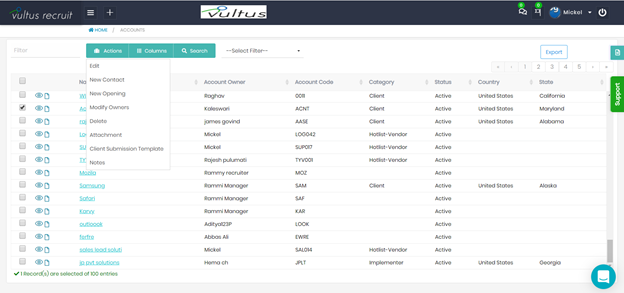
- Login into the Application and Go to the Accounts Module from the Menu.
- Select the record for which you want to add the client template and click on Actions.
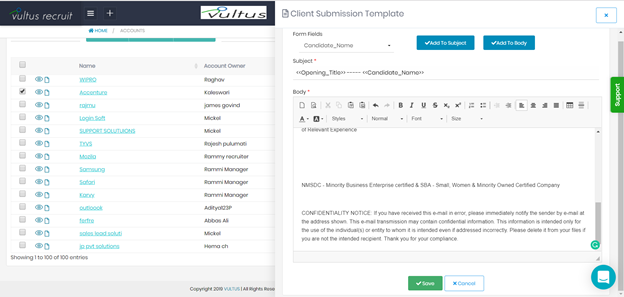
- Now click on Client Submission Template. Here you can see the client submission template slider to create the Template.
- Now select from fields to add for the subject or body.
Did you find it helpful?
Yes
No
Send feedback Sorry we couldn't be helpful. Help us improve this article with your feedback.
